
Mockpreps
🧑💼
🪴
Login now and master your exams with Mockpreps’ mock tests!
Top Interview Questions
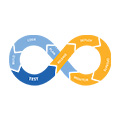
Continuous Integration and Continuous Deployment/Delivery (CI/CD) is a modern software development practice that helps teams build, test, and release software faster and more reliably. It is widely used in the technology industry to improve code quality, reduce errors, and automate repetitive tasks. CI/CD plays a key role in agile development and DevOps culture, where collaboration, speed, and continuous improvement are emphasized.
Continuous Integration (CI) is the practice of frequently merging code changes into a shared repository. Instead of developers working on isolated branches for long periods, they integrate their changes regularly—often multiple times a day. Each integration triggers an automated process that builds the application and runs tests. The main goal of CI is to detect problems early. When issues are found quickly, they are easier and cheaper to fix. CI encourages smaller, incremental changes, which reduces the risk of major bugs appearing later in development.
A typical CI process begins when a developer pushes code to a version control system such as Git. This action automatically triggers a CI pipeline, which may include steps like compiling the code, running unit tests, checking code style, and performing security scans. If any step fails, the developer is notified immediately. This fast feedback loop helps maintain a stable codebase and ensures that new changes do not break existing functionality.
Continuous Delivery (CD) is the next step after continuous integration. In continuous delivery, all code changes that pass the automated tests are prepared for release to production. The software is always in a deployable state, meaning it can be released at any time with minimal effort. However, the final decision to deploy is usually made by a human, such as a release manager or product owner. Continuous delivery focuses on reliability and consistency, ensuring that deployments are predictable and low-risk.
Continuous Deployment, often confused with continuous delivery, takes automation one step further. In continuous deployment, every change that passes the CI pipeline is automatically deployed to production without human intervention. This approach is common in organizations that prioritize rapid innovation and frequent updates. While continuous deployment increases speed, it requires strong testing practices and high confidence in automation to avoid releasing faulty code.
CI/CD relies heavily on automation. Automated testing is one of its most important components. Tests can include unit tests, integration tests, performance tests, and end-to-end tests. These tests verify that the software works as expected and that new changes do not introduce errors. Automation reduces the need for manual testing, which is time-consuming and more prone to human error.
Another key component of CI/CD is the pipeline. A CI/CD pipeline is a sequence of automated steps that code goes through from development to deployment. Pipelines are usually defined using configuration files and can be customized based on project needs. Common stages include build, test, package, deploy, and monitor. Pipelines provide visibility into the development process, allowing teams to track progress and quickly identify where failures occur.
CI/CD also supports better collaboration among developers. Since everyone integrates code frequently, conflicts are detected earlier, and team members stay aligned. This is especially important in large teams or open-source projects where many people contribute to the same codebase. CI/CD encourages shared responsibility for code quality, rather than placing the burden on a single testing or release team.
One major benefit of CI/CD is faster delivery. By automating builds, tests, and deployments, teams can release new features and bug fixes more quickly. This allows organizations to respond faster to user feedback and changing requirements. In competitive industries, the ability to ship updates frequently can be a significant advantage.
Another benefit is improved software quality. Automated testing and early detection of bugs lead to more stable applications. Because changes are smaller and tested continuously, there is less risk of major failures during deployment. CI/CD also makes it easier to roll back changes if something goes wrong, reducing downtime and user impact.
Despite its advantages, CI/CD also comes with challenges. Setting up pipelines and automation requires time, effort, and technical knowledge. Poorly written tests or unstable pipelines can slow development instead of speeding it up. Teams must also maintain their automation tools and update them as the project evolves. Additionally, continuous deployment may not be suitable for all types of software, especially systems that require strict regulatory approval.
CI/CD tools are widely available and support many programming languages and platforms. Popular tools include Jenkins, GitHub Actions, GitLab CI/CD, CircleCI, and Azure DevOps. These tools integrate with version control systems and cloud platforms, making it easier to build and deploy applications at scale.
In conclusion, CI/CD is a foundational practice in modern software development that emphasizes automation, quality, and speed. Continuous integration helps teams catch problems early, while continuous delivery and deployment streamline the release process. Although implementing CI/CD requires planning and effort, its benefits—faster releases, better collaboration, and higher-quality software—make it an essential approach for many development teams today.
Answer:
CI/CD stands for Continuous Integration and Continuous Deployment/Delivery.
Continuous Integration (CI):
Developers frequently merge their code changes into a shared repository. Each change is automatically built and tested.
Continuous Delivery (CD):
Code changes are automatically prepared for release.
Continuous Deployment:
Code changes are automatically deployed to production without manual approval.
👉 CI focuses on testing and integration, while CD focuses on delivery and deployment.
Answer:
CI/CD is important because it:
Reduces manual errors
Detects bugs early
Speeds up software delivery
Improves code quality
Enables frequent and reliable releases
For example, instead of releasing software once in months, teams can release updates daily or even multiple times a day.
Answer:
Continuous Integration is a practice where developers:
Commit code frequently (daily or multiple times a day)
Automatically trigger build and test processes
If any test fails, the team is notified immediately so the issue can be fixed early.
Answer:
Continuous Delivery ensures that:
Code is always in a deployable state
Deployment to production is manual but safe
It gives confidence that the application can be released anytime.
Answer:
Continuous Deployment is an extension of Continuous Delivery where:
Every successful build is automatically deployed to production
No manual approval is needed
This is commonly used in fast-moving environments like startups.
Answer:
A typical CI/CD pipeline includes:
Code Commit – Developer pushes code to Git
Build – Code is compiled
Test – Unit and integration tests run
Static Code Analysis – Checks code quality
Artifact Creation – Build outputs stored
Deployment – Code deployed to staging or production
Monitoring – Application performance monitored
Answer:
Common CI/CD tools include:
Jenkins
GitHub Actions
GitLab CI/CD
CircleCI
Azure DevOps
These tools automate building, testing, and deploying code.
Answer:
Jenkins is an open-source CI/CD automation tool used to:
Build
Test
Deploy applications
It supports pipelines written in a Jenkinsfile and integrates with many tools using plugins.
Answer:
A Jenkins pipeline is a set of automated steps defined as code.
Example stages:
Build
Test
Deploy
It helps maintain consistency and version control of the pipeline.
Answer:
A Jenkinsfile is a text file that defines the CI/CD pipeline and is stored in the project repository.
Benefits:
Pipeline as code
Easy version control
Easy rollback
Answer:
Version control helps track changes in code.
Git is the most popular version control system.
Benefits:
Collaboration
Change tracking
Easy rollback
Branching and merging
Answer:
Git is a distributed version control system.
In CI/CD:
Code push triggers the pipeline
Branches help manage features
Pull requests trigger automated tests
Answer:
A build is the process of:
Compiling source code
Resolving dependencies
Creating executable files or artifacts
Example: Generating a .jar or .war file.
Answer:
An artifact is the output of the build process.
Examples:
.jar
.war
Docker image
Artifacts are stored in repositories like Nexus or Artifactory.
Answer:
Automated testing runs tests automatically to ensure code quality.
Types of tests:
Unit tests
Integration tests
Functional tests
This helps catch bugs early.
Answer:
Deployment is the process of moving code to an environment like:
Development
Testing
Staging
Production
CI/CD automates deployment to reduce errors.
Answer:
| Manual Deployment | Automated Deployment |
|---|---|
| Time-consuming | Fast |
| Error-prone | Reliable |
| Needs human effort | Fully automated |
Answer:
Rollback means reverting to a previous stable version if a deployment fails.
CI/CD pipelines often include rollback strategies to maintain stability.
Answer:
DevOps is a culture that promotes collaboration between development and operations teams.
CI/CD is a key DevOps practice that enables faster and more reliable software delivery.
Answer:
A developer pushes code to GitHub
Jenkins automatically builds the code
Tests run automatically
If tests pass, the app is deployed to staging
After approval, it goes to production
This entire process happens with minimal manual effort.
Answer:
A CI/CD pipeline is a series of automated steps that take code from development to production.
Typical flow:
Code commit
Build
Test
Package
Deploy
The pipeline ensures faster, reliable, and repeatable software delivery.
Answer:
Common triggers include:
Code push to repository
Pull request creation
Merge to main branch
Scheduled triggers (cron jobs)
Manual triggers
Most pipelines are triggered automatically when code is pushed.
Answer:
| CI Pipeline | CD Pipeline |
|---|---|
| Focuses on build and test | Focuses on deploy |
| Detects issues early | Delivers code |
| Runs on every commit | Runs after CI success |
Answer:
Pipeline as Code means defining the CI/CD pipeline in a file (like a Jenkinsfile or YAML).
Benefits:
Version controlled
Easy to modify
Reusable
Transparent
Answer:
A build tool automates the process of:
Compiling code
Managing dependencies
Creating artifacts
Examples:
Maven
Gradle
Ant
Answer:
Maven is a build automation tool used mainly for Java projects.
It:
Manages dependencies
Builds projects
Uses pom.xml file for configuration
Answer:
Unit testing tests individual components or functions of code.
Purpose:
Ensure small pieces of code work correctly
Catch bugs early
These tests run automatically in CI pipelines.
Answer:
Code quality refers to how clean, secure, and maintainable the code is.
CI/CD ensures quality using:
Static code analysis tools (SonarQube)
Code reviews
Automated testing
Answer:
SonarQube is a code quality and security tool.
It checks:
Code smells
Bugs
Vulnerabilities
Technical debt
It integrates with CI tools like Jenkins.
Answer:
An artifact repository stores build outputs.
Examples:
Nexus
JFrog Artifactory
Benefits:
Versioning
Easy rollback
Secure storage
Answer:
Docker is a containerization tool.
In CI/CD:
Build Docker images
Test inside containers
Deploy containers consistently
It ensures the app works the same in all environments.
Answer:
Containerization packages:
Application
Dependencies
Configuration
into a single container that runs consistently across systems.
Answer:
| Virtual Machine | Container |
|---|---|
| Heavy | Lightweight |
| Has full OS | Shares host OS |
| Slower start | Fast start |
Answer:
An environment is a stage where the application runs.
Common environments:
Development
Testing
Staging
Production
Answer:
Deployment strategy defines how new code is released.
Common strategies:
Rolling deployment
Blue-Green deployment
Canary deployment
Answer:
Two environments:
Blue (current)
Green (new)
Traffic switches to green after successful testing.
Benefits:
Zero downtime
Easy rollback
Answer:
New version is released to a small group of users first.
If stable, it's rolled out to all users.
Answer:
Monitoring tracks:
Application performance
Errors
Resource usage
Tools:
Prometheus
Grafana
CloudWatch
Answer:
Logging records system events and errors.
It helps:
Debug issues
Track failures
Improve reliability
Answer:
Rollback strategy ensures system stability if deployment fails.
Examples:
Revert to previous version
Switch traffic back (Blue-Green)
Answer:
Secrets management securely stores:
Passwords
API keys
Tokens
Tools:
Jenkins credentials
HashiCorp Vault
Answer:
IaC manages infrastructure using code.
Tools:
Terraform
CloudFormation
It helps automate environment creation.
Answer:
YAML is used to define pipelines (GitHub Actions, GitLab CI).
It is:
Human-readable
Structured
Easy to maintain
Answer:
Developer pushes code
Pipeline builds and tests
Code quality check
Artifact created
Docker image built
Deployed to staging
Approved → Production
❌ Overcomplicating answers
❌ Naming tools without understanding
❌ No real flow explanation
✅ Focus on concept + flow
Answer:
When a build fails:
The pipeline stops immediately
Developers are notified via email or chat
The issue is fixed before merging new changes
This prevents faulty code from reaching production and keeps the codebase stable.
Answer:
If tests fail:
Pipeline stops
Developers check test logs
Fix the issue
Re-run the pipeline
Failed tests mean the code is not ready for deployment.
Answer:
A merge conflict occurs when:
Two developers modify the same code
Handling:
Manually resolve conflicts
Re-run CI pipeline
Merge only after tests pass
Answer:
Branching strategy defines how code is managed.
Common strategies:
Git Flow
Feature branching
Trunk-based development
It helps manage releases and reduce conflicts.
Answer:
Git Flow uses:
main – production code
develop – integration
feature – new features
release – final testing
hotfix – urgent fixes
It is suitable for structured projects.
Answer:
Developers commit small changes frequently to a single branch.
Benefits:
Faster integration
Fewer merge conflicts
Strong CI discipline
Answer:
Build automation means:
Automatically compiling
Testing
Packaging code
It reduces manual work and errors.
Answer:
Dependency management handles external libraries required by the application.
Tools:
Maven
Gradle
npm
Ensures correct versions are used.
Answer:
Caching stores dependencies temporarily to speed up builds.
Example:
Reusing downloaded libraries instead of downloading again
Result:
Faster pipeline execution
Answer:
Parallel execution runs multiple jobs at the same time.
Example:
Running tests simultaneously
Benefit:
Reduced pipeline time
Answer:
Environment variables store configuration values.
Examples:
Database URL
API keys
They allow environment-specific settings without changing code.
Answer:
Secrets masking hides sensitive data in logs.
Example:
Passwords appear as ****
This improves security.
Answer:
Deployment approval requires manual confirmation before production deployment.
Used in:
Continuous Delivery
Helps avoid accidental releases.
Answer:
Smoke testing checks basic functionality after deployment.
Purpose:
Ensure application starts correctly
Catch major issues early
Answer:
Verification after deployment includes:
Checking logs
Monitoring metrics
Validating features
Ensures deployment success.
Answer:
| Rollback | Redeploy |
|---|---|
| Revert to previous version | Fix and deploy again |
| Fast recovery | Permanent fix |
Answer:
Pipeline security ensures:
Secure credentials
Controlled access
Trusted plugins
It protects CI/CD infrastructure.
Answer:
| Self-Hosted | Cloud |
|---|---|
| More control | Easy setup |
| Maintenance required | Low maintenance |
| Jenkins | GitHub Actions |
Answer:
A webhook automatically notifies CI tools when code changes occur.
Example:
GitHub webhook triggers Jenkins build
Answer:
Instead of modifying servers, new ones are created for each deployment.
Benefits:
Consistency
Easy rollback
Answer:
Configuration drift occurs when environments differ over time.
CI/CD with IaC helps prevent this.
Answer:
Commit code frequently
Keep builds fast
Automate testing
Monitor deployments
Learn basics deeply
Answer:
CI/CD is an automated process that builds, tests, and deploys software continuously to deliver reliable updates faster.
Build failure
Test failure
Deployment rollback
Pipeline optimization
Be ready to explain what you would do.
Answer:
CI/CD is an automated approach to integrating code, validating it through builds and tests, and reliably delivering it to different environments.
In practice, I’ve used CI/CD to trigger pipelines on code commits, run automated tests and quality checks, create deployable artifacts, and deploy them across environments with minimal manual intervention.
Answer:
I start by:
Understanding application architecture and release frequency
Defining stages: build, test, quality checks, package, deploy
Selecting tools (Git, Jenkins/GitLab CI, artifact repo)
Adding automated tests and static analysis
Securing credentials and secrets
Defining rollback and monitoring strategies
The goal is reliability, speed, and traceability.
Answer:
Key factors include:
Team size and skills
Cloud vs on-prem setup
Integration with existing tools
Scalability and performance
Security and compliance requirements
For example, Jenkins offers flexibility, while GitHub Actions provides easier cloud integration.
Answer:
I:
Fail fast and stop the pipeline immediately
Analyze logs and metrics
Notify relevant teams
Fix the issue and re-run the pipeline
Add preventive checks if the failure is recurring
This helps improve pipeline stability over time.
Answer:
I include:
Unit tests
Integration tests
Smoke tests
Security scans
Performance checks (where applicable)
Tests are prioritized to run fast initially and deeper tests later in the pipeline.
Answer:
Optimization techniques include:
Parallel execution of jobs
Dependency caching
Reducing redundant steps
Running selective tests
Using lightweight build agents
This reduces feedback time for developers.
Answer:
Pipeline as code means defining the CI/CD pipeline in version-controlled files.
Benefits:
Versioning and traceability
Reusability
Easier reviews
Consistent environments
Answer:
I store secrets in:
CI tool credential managers
Vault solutions
I avoid hardcoding secrets, use environment variables, and restrict access based on roles.
Answer:
A typical pipeline included:
Code push triggers pipeline
Build and unit tests
Static code analysis
Artifact creation and storage
Deployment to staging
Manual approval
Production deployment
This ensured quality and controlled releases.
Answer:
I externalize configurations using:
Environment variables
Configuration files per environment
Secrets management tools
This keeps the codebase environment-agnostic.
Answer:
I’ve worked with:
Rolling deployments
Blue-Green deployments
Canary releases
Choice depends on downtime tolerance and risk.
Answer:
I use:
Load balancers
Blue-Green or rolling deployments
Health checks
Gradual traffic switching
Answer:
I:
Keep previous artifacts/images
Automate rollback steps
Monitor deployments closely
Trigger rollback on failure thresholds
Answer:
I build Docker images in CI, tag them properly, store them in registries, and deploy containers consistently across environments.
Answer:
CI builds and pushes images; CD updates Kubernetes manifests or Helm charts and deploys them using rolling updates with health checks.
Answer:
I ensure:
Secure credentials
Least privilege access
Trusted plugins
Dependency and vulnerability scans
Audit logs
Answer:
I use:
Separate pipelines or stages per environment
Manual approval gates for production
Environment-specific configurations
Answer:
Key metrics:
Build success rate
Deployment frequency
Lead time for changes
Mean time to recovery (MTTR)
These help improve delivery efficiency.
Answer:
For monorepos:
Conditional pipelines
Selective builds
For multiple repos:
Shared pipeline templates
Answer:
I:
Create documentation
Simplify pipelines
Reduce build times
Actively troubleshoot issues
Answer:
Artifact versioning ensures traceability of builds and easy rollback.
Approach:
Use semantic versioning (e.g., v1.0.1) or build numbers.
Tag artifacts in repositories (e.g., Nexus, Artifactory).
Include commit hash in the artifact name for uniqueness.
Benefit:
Easier rollback and identification of deployed versions.
Answer:
Long-running pipelines slow feedback. I optimize by:
Splitting pipeline into stages (build, test, deploy).
Running tests in parallel.
Caching dependencies.
Running fast checks first, deep tests later.
This ensures developers get quick feedback without delaying deployment.
Answer:
Each microservice has its own pipeline.
Use shared templates for consistency.
Use Docker images to ensure environment consistency.
Orchestrate deployment via Helm charts or Kubernetes manifests.
Implement feature flags to control production rollout.
Answer:
Check pipeline logs and error messages.
Verify artifact integrity.
Check environment variables and configuration.
Validate network and service dependencies.
If rollback is needed, revert to previous stable artifact.
Answer:
Store secrets in vaults or CI credential managers.
Restrict pipeline execution via role-based access.
Use trusted plugins only.
Scan dependencies for vulnerabilities.
Maintain audit logs of deployments.
Answer:
Deploy the new version to a subset of users or servers.
Monitor metrics and logs for issues.
Gradually increase traffic if stable.
Rollback if issues are detected.
Benefit:
Reduces risk of full-scale failures in production.
Answer:
Use migration scripts stored in version control.
Integrate database migration tools like Flyway or Liquibase.
Apply changes automatically in staging environments first.
Use rollbacks if deployment fails.
Answer:
Unit tests run during build stage.
Integration tests run after build in a separate stage.
Security tests (SAST/DAST) run after unit/integration tests.
Fail the pipeline immediately if critical tests fail.
Answer:
Monitor pipeline execution time and failure rates.
Track deployment frequency and MTTR.
Use alerts for pipeline failures.
Visualize metrics in dashboards (Grafana, Prometheus).
Answer:
Treat servers as replaceable units, not mutable.
Deploy new artifacts to new servers or containers.
Use tools like Terraform, Ansible, or Docker/Kubernetes.
Ensures consistency and easy rollback.
Answer:
Define pipelines per branch (feature, develop, release).
Run different test suites per branch (smoke on feature, full on release).
Use merge requests or pull requests to trigger pipelines.
Answer:
Use email, Slack, or Microsoft Teams notifications.
Include logs and failure reasons.
Auto-assign tickets or notify responsible developer.
Helps in quick resolution.
Answer:
Use redundant build agents.
Maintain backup CI servers.
Distribute workloads across multiple nodes.
Monitor CI/CD tool performance continuously.
Answer:
Use agent-based parallel execution.
Scale agents dynamically in cloud environments.
Use containerized build agents to avoid conflicts.
Optimize jobs to reuse caches and artifacts.
Answer:
Keep version-controlled pipelines.
Log all deployments and approvals.
Use role-based access.
Scan for security and dependency compliance.
Maintain audit reports for internal/external requirements.
Answer:
Keep previous artifacts and images ready.
Automate rollback scripts in the pipeline.
Monitor health metrics during rollback.
Use Blue-Green deployment for zero-downtime rollback.
Answer:
Use cloud-agnostic tools (Terraform, Docker, Kubernetes).
Maintain separate environment configurations per cloud.
Use centralized CI/CD pipelines with conditional stages.
Ensure secrets management and network policies are cloud-compliant.
Answer:
Implement retry mechanisms for transient failures.
Run health checks before and after deployment.
Keep fallback and rollback plans.
Continuously monitor pipeline performance metrics.
Answer:
Branch from production (hotfix branch).
Trigger fast-track pipeline with minimum tests.
Deploy quickly to production.
Merge hotfix back to develop/release branches.
Answer:
Long pipeline execution slowing developer feedback
Secrets management across multiple environments
Handling complex rollback scenarios
Dependency version conflicts in microservices
Managing multi-branch pipelines with parallel deployments
I solved these by optimizing stages, caching, vault integration, and clear rollback strategies.
Here’s an even more advanced and detailed set of CI/CD interview questions and answers for professionals with ~4 years of experience, focusing on real-world scenarios, DevOps best practices, troubleshooting, and optimization.
Answer:
Each repository has its own CI pipeline.
Use shared pipeline templates for consistency.
Trigger downstream pipelines via webhooks or API calls.
Implement dependency management to ensure proper sequencing.
Benefits: easier maintenance, modular deployments, and faster builds.
Answer:
Integrate SAST (Static Application Security Testing) in build stage.
Integrate DAST (Dynamic Application Security Testing) in staging deployment.
Use dependency vulnerability scanners like OWASP Dependency Check or Snyk.
Fail pipeline on critical vulnerabilities to prevent unsafe deployments.
Answer:
Use Infrastructure as Code (IaC) tools like Terraform or CloudFormation.
Store pipeline definitions and configurations in version control.
Regularly audit environments to ensure parity between staging and production.
Benefits: predictable deployments and reduced production issues.
Answer:
Identify flaky stages or tests causing inconsistent results.
Implement retry logic for transient failures.
Run flaky tests in isolation to debug.
Prioritize stable tests in CI pipeline to ensure fast feedback.
Answer:
Store artifacts in versioned artifact repositories (Nexus, Artifactory).
Implement retention policies to delete old artifacts after a certain period.
Tag artifacts with build numbers, commit hashes, and branch names.
This ensures traceability and controlled storage.
Answer:
Feature branches: build and test only.
Develop branch: integration and staging deployment.
Release branch: full pipeline including staging and production deployment.
Use conditional pipeline stages to deploy only when criteria are met.
Answer:
Store secrets per environment in vaults or CI/CD credential stores.
Use environment variables injected during pipeline runtime.
Restrict access via role-based permissions.
Rotate secrets periodically to maintain security.
Answer:
Use canary deployments to release to a small user subset.
Monitor application metrics (latency, errors).
Gradually increase traffic if stable.
Use feature flags to enable/disable features without full redeployment.
Answer:
Use migration scripts versioned in Git.
Run migrations in staging environments first.
Validate changes using automated tests.
Use transactional rollbacks in case of failures.
Tools: Flyway, Liquibase.
Answer:
Deploy multiple build agents/nodes to avoid single points of failure.
Use load-balanced or cloud-based CI/CD services.
Regularly back up pipeline configurations and logs.
Monitor agent health and automatically replace failing nodes.
Answer:
Run parallel builds/tests where possible.
Use caching for dependencies and build artifacts.
Split heavy tests into smoke tests and full test suites.
Use incremental builds to only build changed modules.
Answer:
Keep previous stable artifacts/images ready.
Automate rollback scripts to revert changes.
Use Blue-Green deployments or traffic switching for zero-downtime rollback.
Monitor system health post-rollback to ensure stability.
Answer:
CI builds Docker images, tags them, and pushes to container registry.
CD updates Kubernetes manifests or Helm charts and deploys to clusters.
Health checks, readiness probes, and rollback policies are included for reliability.
Answer:
Use cloud-agnostic tools like Terraform or Kubernetes.
Maintain separate environment configs per cloud.
Implement centralized pipeline with conditional deployment stages per cloud.
Ensure secrets, IAM roles, and network policies are properly configured.
Answer:
Maintain pipeline as code in version control.
Enable logging of all deployments and approvals.
Restrict pipeline access using RBAC.
Scan for vulnerabilities and compliance issues automatically.
Generate reports for audits.
Answer:
Create a hotfix branch from production.
Trigger a minimal pipeline for fast build, test, and deploy.
Deploy to production after verification.
Merge back hotfix changes into develop/release branches.
Answer:
Track metrics such as:
Build success rate
Deployment frequency
Lead time for changes
Mean time to recovery (MTTR)
Failure rate of pipeline stages
Use these metrics to optimize pipelines and delivery speed.
Answer:
Identify slow stages using pipeline logs or dashboards.
Cache dependencies to avoid repeated downloads.
Parallelize tests and builds.
Remove redundant jobs or combine lightweight stages.
Answer:
Use dashboards to monitor pipeline execution, failures, and duration.
Integrate alerts for failures via Slack, email, or monitoring tools.
Log all pipeline steps and key metrics for post-mortem analysis.
Handling microservices with interdependencies
Maintaining pipeline security and secrets
Optimizing pipeline performance
Implementing progressive delivery and rollback
Multi-environment and multi-cloud deployments
Solutions involve automation, monitoring, versioning, and best practices.


